
Contact
AtScale Google Sheets Connector
Enterprise UX
Shipped : V1.0, Jul 2025

The Back Story
AtScale Is a Semantic Layer Designer. Enables Data Engineers to Build a Governed, Platform-Agnostic Semantic Data Layer from various Big Data Sources Like Snowflake, Postgres, etc.
Data Engineers and Business Analysts from the primary user groups of AtScale
While Data Engineers design and maintain Semantic Models directly on ‘AtScale Design Centre’, Business Analysts use various Business Intelligence & reporting tools like Tableau, PowerBI and Microsoft Excel for to analyze data, generate insights and build reports.
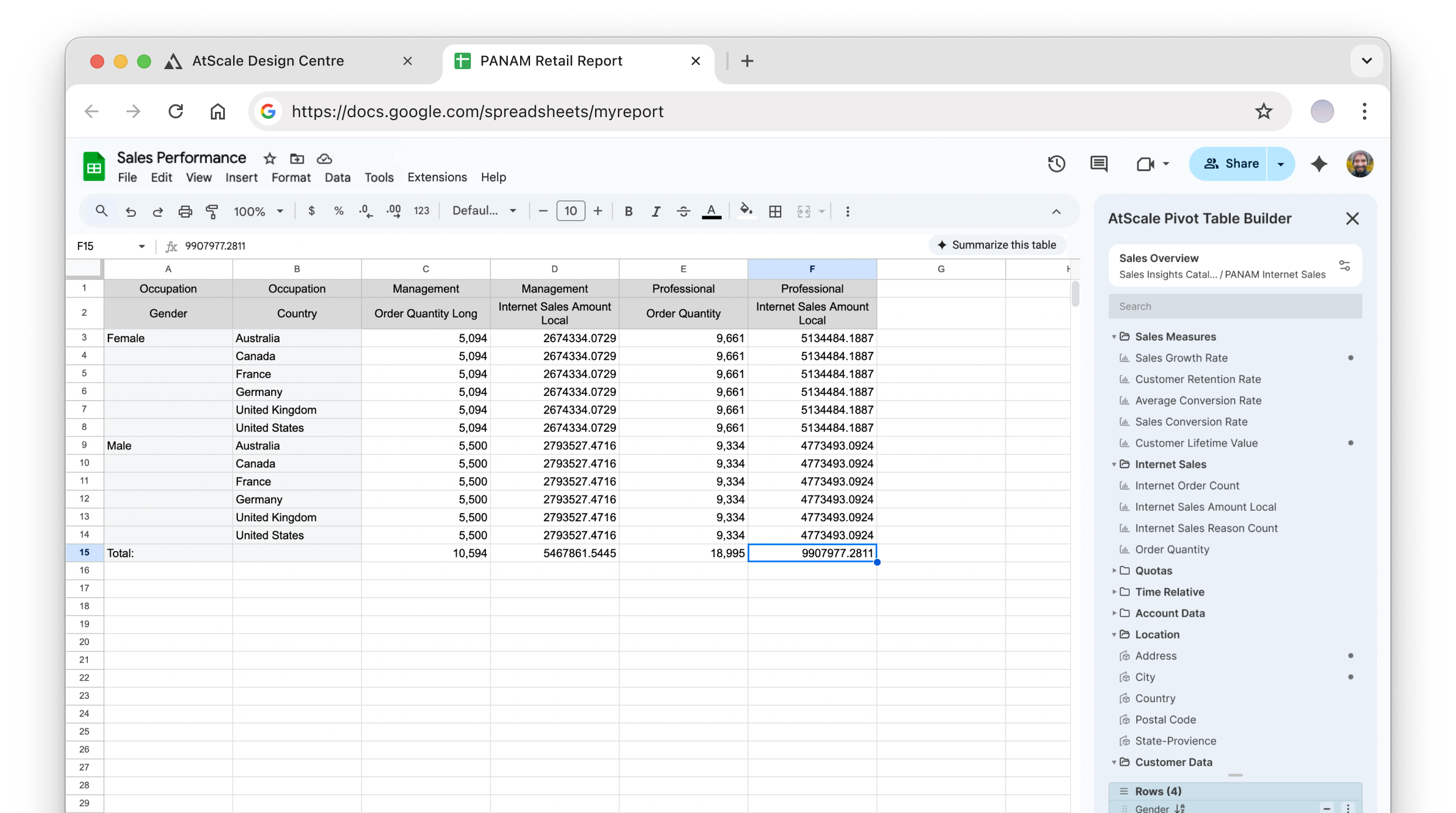
A few customers want to use Google Sheets to access Semantic Models and analyze data and build reports that are sharable on google drive across the organization.
A basic prototype was developed in 2019 by an intern engineer using HTML and Javascript and but it was unusable beyond being a Proof of Concept due(POC) to lack of clear information design.
My Involvement
Stakeholder Workshops
User Flows
Competition Benchmarking
Prototyping
Visual Design
The Team
Product Manager
Chief Technology Officer
Development team of 4
Senior UX Designer(me) and Design Director
Timelines
V1.0
2.5 Months
Inception:
Apr 30, 2025
Deployment:
Jul 24, 2025
V2.0 Design:
Ongoing
Project Goals
Enable Business Analysts easily access AtScale’s Semantic Models from Google Sheets.
Explore design improvements with basic clean-up of usability in on the existing POC.
Deploy the V1.0 on Google Chrome Store by end of June 2025.
Design UX for Google’s Chrome Apps Specifications.
Leverage internal and external user feedback to incrementally improve the features from V2.0
Process
AtScale is a Technology-Lead Product company that operates in a niche market and fast-paced startup culture. New Feature requirements are primarily technology innovations or delivery of a improved usability of an existing feature. These are envisioned by AtScale’s Chief Technology Officer and Product Managers as a response to a customer’s need or a technology readiness for a long awaited feature with over a decade of Subject Matter Expertise in the field of Big Data and Business Intelligence. Much of the Engineering team also comprises of engineers and developers who have considerable or some experience in the field of Data, Analytics, and BI tools.The CTO and Product Managers also are the primary ‘Source of Truth’ for all our domain specific Insights and Observed User Behaviour from years of experience in the field and from their conversations with customer teams.
As a Design team at AtScale, our goal is to leverage the SME’s Insights into the Product Challenges and on User behaviour to translate feature requirements into delightful and task efficient user flows.
Learnings from SME Workshops
Customers
The product will be used by specific departments who use Google Sheets as their primary data analytics and reporting platform.
Central Data Teams build Semantic Models using AtScale’s Semantic Model Designer and these Analytics teams need a connector for Google Sheets to access Semantic Data.
User Profile
A Business Analyst who works within a small team and is responsible for analysis and reporting for specific business unit.
Reasonable experience in Data and Trend Analysis.
Capable of building their own views and reports with any BI tool but not experienced in building their own data models.
Experienced with tools like Microsoft Excel and other spread sheet based tools for analysis.
Work with strategic stakeholders who expect KPI driven insights fast and frequently.
Often work with multiple data sources to test accuracy of results
Feature Laundry
User Should be able to connect to AtScale Servers and retrieve Semantic Models from various catalogs
The user Should be able to build a pivot table similar to Microsoft Excel
The user should be able to apply filters and sort data in the result pivot table without having to invoke Google Sheet’s native tools.
The product team handed us some simple feature laundry. Which was not much.
The main challenge was various limitations that we ran into as we started exploring design solutions in close collaboration with engineering team who quick tested ideas with rapid prototyping of the features for technical viability.
Design Considerations
These learnings about the customer teams and users advised our design direction very similar to the rest of our product.
Leverage familiar experiences to reduce learning curve.
Leverage platform capabilities as much as possible to reduce development overhead.
User Flows
Google Chrome Store Product Page Assets
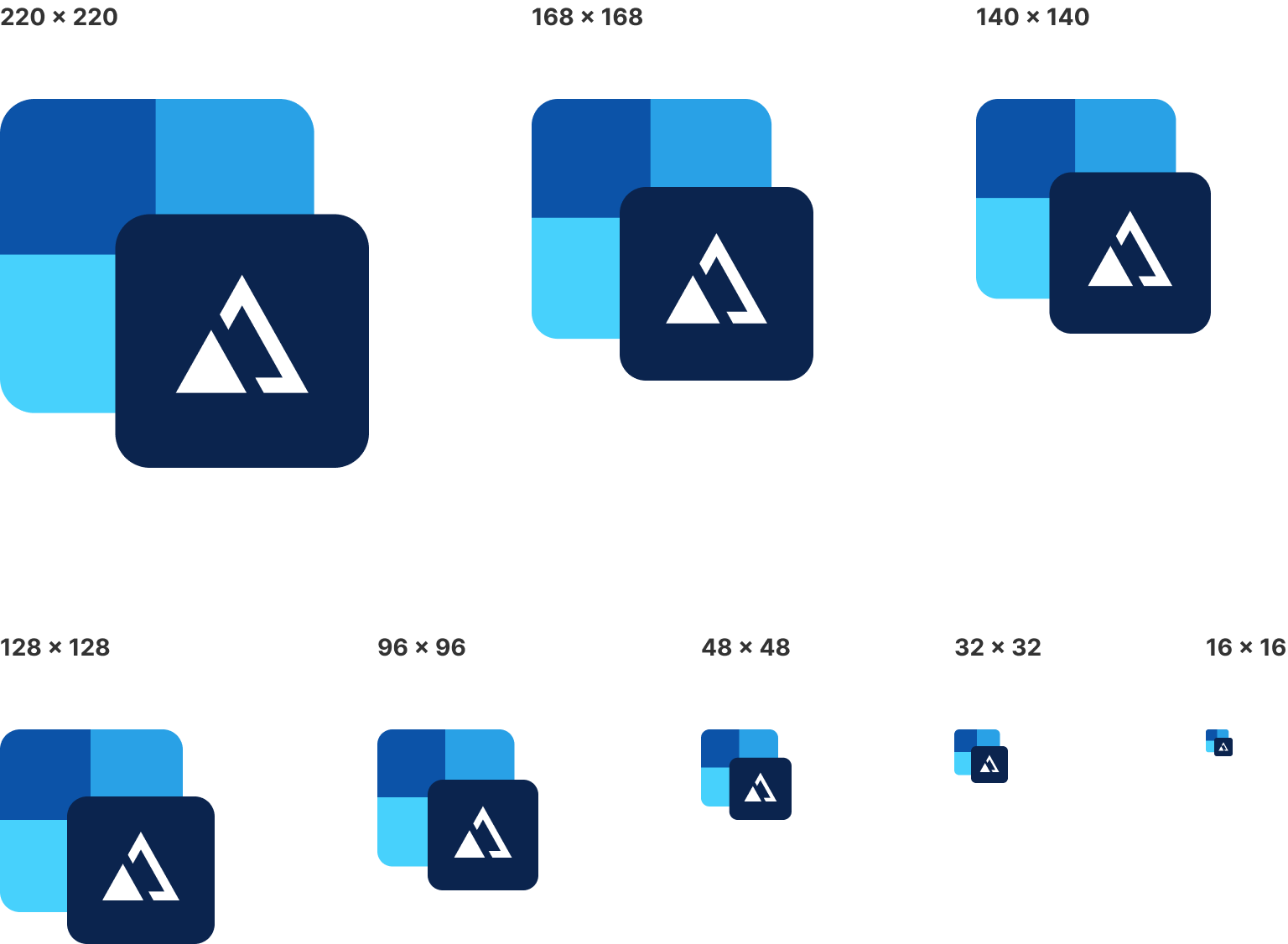
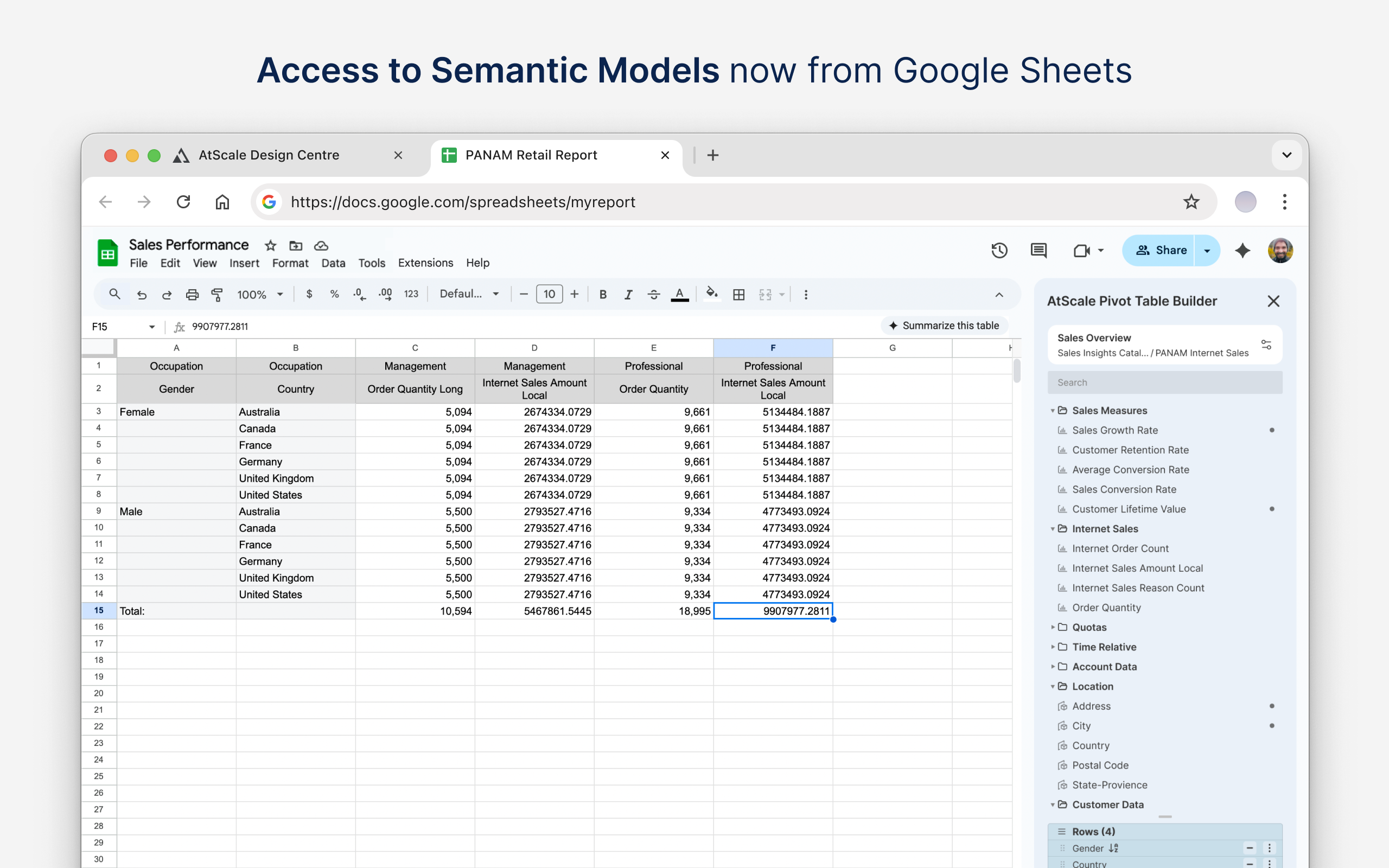
Since this was an independent product meant to be accessed via Google Sheets app, It had to be deployed on Google Chrome Store. The Dev team needed Graphic assets to be published as part of the product page. I designed App Icons, Promo Thumbnails and Product Screenshots in various dimensions and formats according to Google Chrome Store Specifications.
App Icons
Promo Thumbnail
Product Screenshots
Project Summary
Over a 3 Month period, the project started with reviving a feature that was shelved for over 6 years and went through successful deployment of version 1, multiple Design Iterations, Internal validation and testing among community users and then a major design update due to Google’s Design Language update for Chrome Apps & Extensions.The app is now being used by over 200 internal users for regression testing and will be used by over 300 users in a single client environment.As of Aug 2025, over the next few months, the product team will continuously collect feedback on usability and feature fitment both client and internal users to improve the product in upcoming versions.
MORE WORK
From
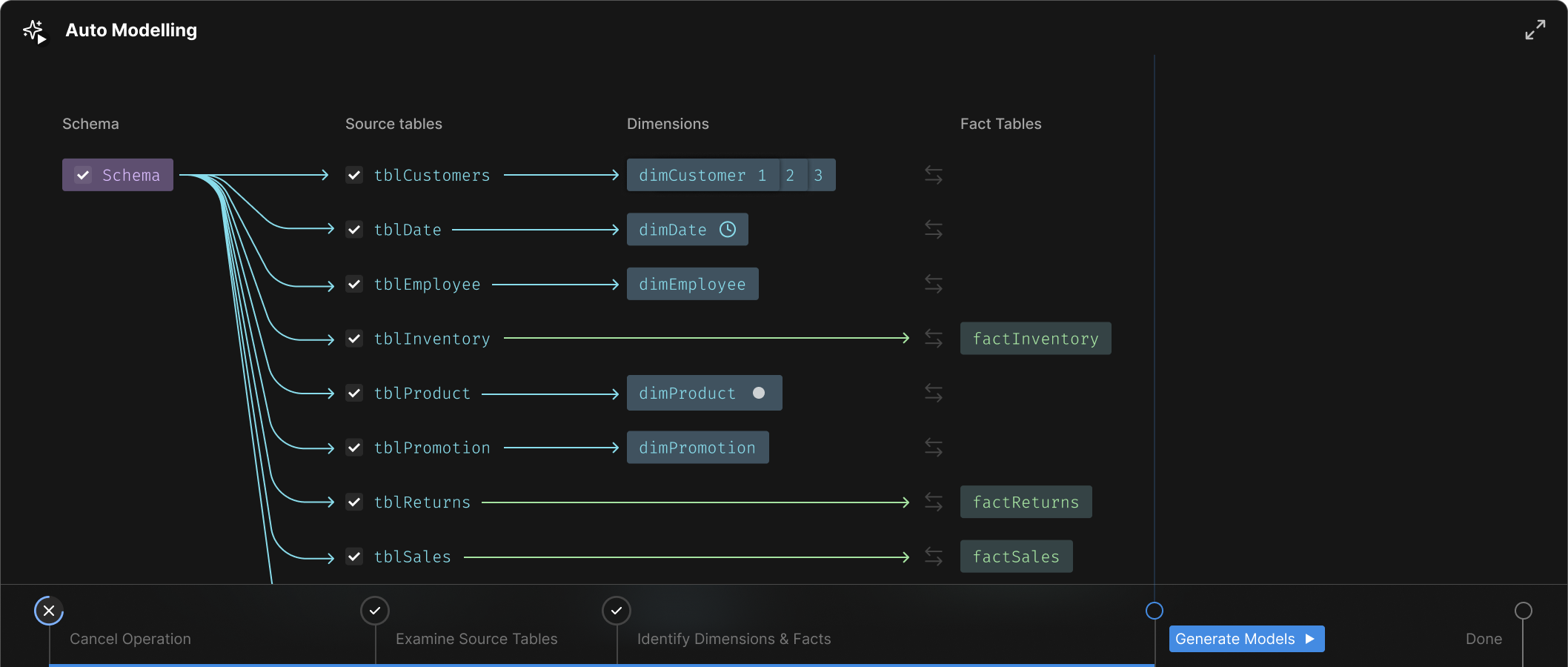
Enabling Experts Build Models but faster with Agentic-assistance
AtScale’s Auto modelling workflow
Enterprise UX
Information Architecture
In Development : For Q4 2025
Detailed case study coming soon...


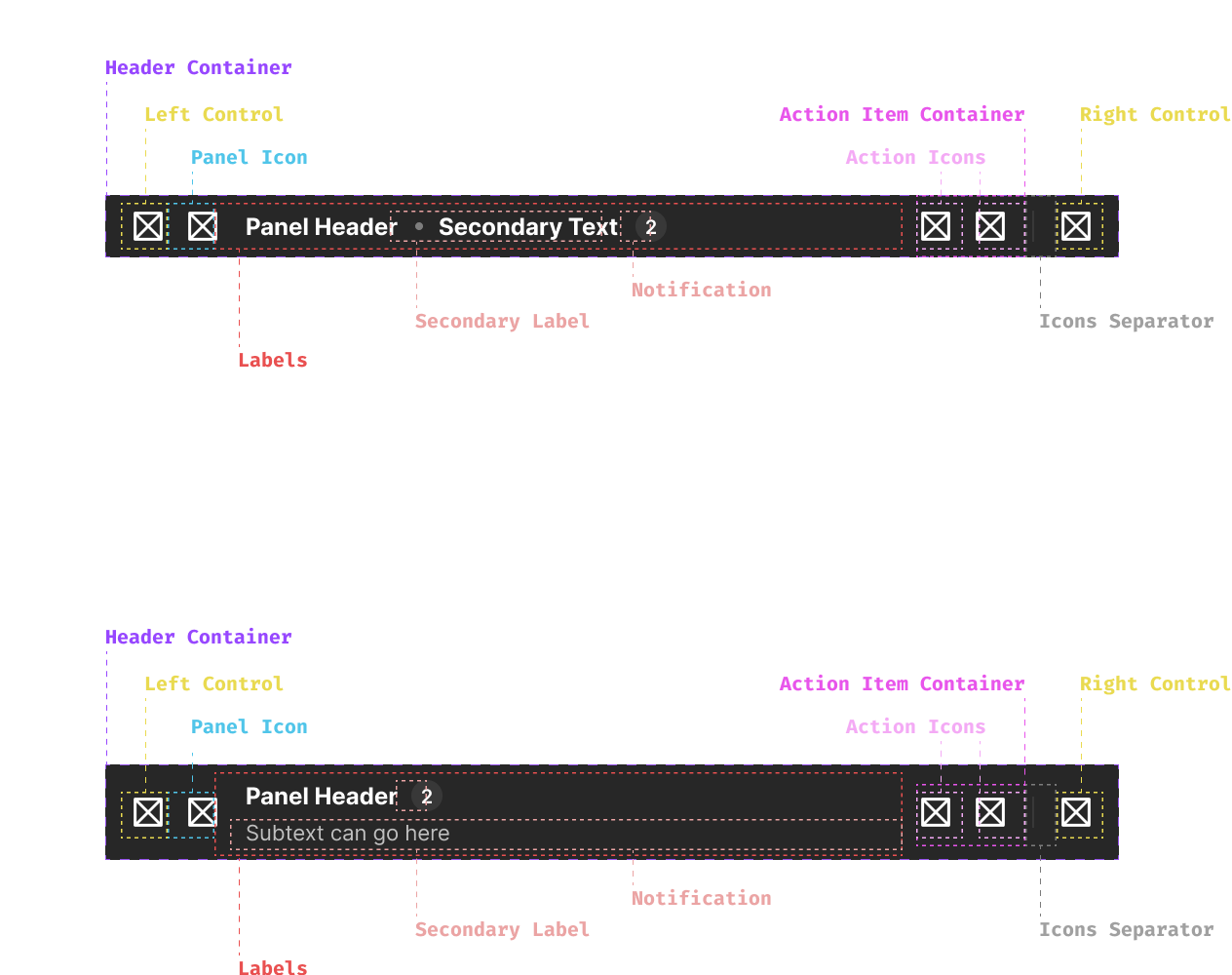
AtScale UX Component Library
Building AtScale’s Modern UX Design system for Consistency and Scalability within a small team of design and tech team
Design Systems
In Phased-Development : Since Q1 2024
Detailed case study coming soon...
Trusted By Colleagues and Clients


Elsewhere on the internet

Download CV

Contact
AtScale
Google Sheets Connector
Enterprise UX
Shipped : V1.0, Jul 2025
The Back Story
AtScale Is a Semantic Layer Designer. Enables Data Engineers to Build a Governed, Platform-Agnostic Semantic Data Layer from various Big Data Sources Like Snowflake, Postgres, etc.
Data Engineers and Business Analysts from the primary user groups of AtScale
While Data Engineers design and maintain Semantic Models directly on ‘AtScale Design Centre’, Business Analysts use various Business Intelligence & reporting tools like Tableau, PowerBI and Microsoft Excel for to analyze data, generate insights and build reports.
A few customers want to use Google Sheets to access Semantic Models and analyze data and build reports that are sharable on google drive across the organization.
A basic prototype was developed in 2019 by an intern engineer using HTML and Javascript and but it was unusable beyond being a Proof of Concept due(POC) to lack of clear information design.
My Involvement
Stakeholder Workshops
User Flows
Competition Benchmarking
Prototyping
Visual Design
The Team
Product Manager
Chief Technology Officer
Development team of 4
Senior UX Designer(me) and Design Director
Timelines
V1.0
2.5 Months
Inception:
Apr 30, 2025
Deployment:
Jul 24, 2025
V2.0 Design:
Ongoing
Project Goals
Enable Business Analysts easily access AtScale’s Semantic Models from Google Sheets.
Explore design improvements with basic clean-up of usability in on the existing POC.
Deploy the V1.0 on Google Chrome Store by end of June 2025.
Design UX for Google’s Chrome Apps Specifications.
Leverage internal and external user feedback to incrementally improve the features from V2.0
Process
AtScale is a Technology-Lead Product company that operates in a niche market and fast-paced startup culture. New Feature requirements are primarily technology innovations or delivery of a improved usability of an existing feature. These are envisioned by AtScale’s Chief Technology Officer and Product Managers as a response to a customer’s need or a technology readiness for a long awaited feature with over a decade of Subject Matter Expertise in the field of Big Data and Business Intelligence. Much of the Engineering team also comprises of engineers and developers who have considerable or some experience in the field of Data, Analytics, and BI tools.The CTO and Product Managers also are the primary ‘Source of Truth’ for all our domain specific Insights and Observed User Behaviour from years of experience in the field and from their conversations with customer teams.
As a Design team at AtScale, our goal is to leverage the SME’s Insights into the Product Challenges and on User behaviour to translate feature requirements into delightful and task efficient user flows.
Learnings from SME Workshops
Customers
The product will be used by specific departments who use Google Sheets as their primary data analytics and reporting platform.
Central Data Teams build Semantic Models using AtScale’s Semantic Model Designer and these Analytics teams need a connector for Google Sheets to access Semantic Data.
User Profile
A Business Analyst who works within a small team and is responsible for analysis and reporting for specific business unit.
Reasonable experience in Data and Trend Analysis.
Capable of building their own views and reports with any BI tool but not experienced in building their own data models.
Experienced with tools like Microsoft Excel and other spread sheet based tools for analysis.
Work with strategic stakeholders who expect KPI driven insights fast and frequently.
Often work with multiple data sources to test accuracy of results
Features Laundry
User Should be able to connect to AtScale Servers and retrieve Semantic Models from various catalogs
The user Should be able to build a pivot table similar to Microsoft Excel
The user should be able to apply filters and sort data in the result pivot table without having to invoke Google Sheet’s native tools.
The product team handed us some simple feature laundry. Which was not much.
The main challenge was various limitations that we ran into as we started exploring design solutions in close collaboration with engineering team who quick tested ideas with rapid prototyping of the features for technical viability.
Design Considerations
These learnings about the customer teams and users advised our design direction very similar to the rest of our product.
Leverage familiar experiences to reduce learning curve.
Leverage platform capabilities as much as possible to reduce development overhead.
User Flows
Google Chrome Store Product Page Assets
Since this was an independent product meant to be accessed via Google Sheets app, It had to be deployed on Google Chrome Store. The Dev team needed Graphic assets to be published as part of the product page. I designed App Icons, Promo Thumbnails and Product Screenshots in various dimensions and formats according to Google Chrome Store Specifications.
App Icons
Promo Thumbnail
Product Screenshots
Project Summary
Over a 3 Month period, the project started with reviving a feature that was shelved for over 6 years and went through successful deployment of version 1, multiple Design Iterations, Internal validation and testing among community users and then a major design update due to Google’s Design Language update for Chrome Apps & Extensions.The app is now being used by over 200 internal users for regression testing and will be used by over 300 users in a single client environment.As of Aug 2025, over the next few months, the product team will continuously collect feedback on usability and feature fitment both client and internal users to improve the product in upcoming versions.
MORE WORK
From
Enabling Experts Build Models but faster with Agentic-assistance
AtScale’s Auto modelling workflow
Enterprise UX
Information Architecture
In Development : For Q4 2025
Detailed case study coming soon...


AtScale UX Component Library
Building AtScale’s Modern UX Design system for Consistency and Scalability within a small team of design and tech team
Design Systems
In Phased-Development : Since Q1 2024
Detailed case study coming soon...
Trusted By Colleagues and Clients
Elsewhere on the internet
Download CV
Contact
AtScale
Google Sheets Connector
Enterprise UX
Shipped : V1.0, Jul 2025
The Back Story
AtScale Is a Semantic Layer Designer. Enables Data Engineers to Build a Governed, Platform-Agnostic Semantic Data Layer from various Big Data Sources Like Snowflake, Postgres, etc.
Data Engineers and Business Analysts from the primary user groups of AtScale
While Data Engineers design and maintain Semantic Models directly on ‘AtScale Design Centre’, Business Analysts use various Business Intelligence & reporting tools like Tableau, PowerBI and Microsoft Excel for to analyze data, generate insights and build reports.
A few customers want to use Google Sheets to access Semantic Models and analyze data and build reports that are sharable on google drive across the organization.
A basic prototype was developed in 2019 by an intern engineer using HTML and Javascript and but it was unusable beyond being a Proof of Concept due(POC) to lack of clear information design.
My Involvement
Stakeholder Workshops
User Flows
Competition Benchmarking
Prototyping
Visual Design
The Team
Product Manager
Chief Technology Officer
Development team of 4
Senior UX Designer(me) and Design Director
Timelines
V1.0
2.5 Months
Inception:
Apr 30, 2025
Deployment:
Jul 24, 2025
V2.0 Design:
Ongoing
Project Goals
Enable Business Analysts easily access AtScale’s Semantic Models from Google Sheets.
Explore design improvements with basic clean-up of usability in on the existing POC.
Deploy the V1.0 on Google Chrome Store by end of June 2025.
Design UX for Google’s Chrome Apps Specifications.
Leverage internal and external user feedback to incrementally improve the features from V2.0
Process
AtScale is a Technology-Lead Product company that operates in a niche market and fast-paced startup culture. New Feature requirements are primarily technology innovations or delivery of a improved usability of an existing feature. These are envisioned by AtScale’s Chief Technology Officer and Product Managers as a response to a customer’s need or a technology readiness for a long awaited feature with over a decade of Subject Matter Expertise in the field of Big Data and Business Intelligence. Much of the Engineering team also comprises of engineers and developers who have considerable or some experience in the field of Data, Analytics, and BI tools.The CTO and Product Managers also are the primary ‘Source of Truth’ for all our domain specific Insights and Observed User Behaviour from years of experience in the field and from their conversations with customer teams.
As a Design team at AtScale, our goal is to leverage the SME’s Insights into the Product Challenges and on User behaviour to translate feature requirements into delightful and task efficient user flows.
Learnings from SME Workshops
Customers
The product will be used by specific departments who use Google Sheets as their primary data analytics and reporting platform.
Central Data Teams build Semantic Models using AtScale’s Semantic Model Designer and these Analytics teams need a connector for Google Sheets to access Semantic Data.
User Profile
A Business Analyst who works within a small team and is responsible for analysis and reporting for specific business unit.
Reasonable experience in Data and Trend Analysis.
Capable of building their own views and reports with any BI tool but not experienced in building their own data models.
Experienced with tools like Microsoft Excel and other spread sheet based tools for analysis.
Work with strategic stakeholders who expect KPI driven insights fast and frequently.
Often work with multiple data sources to test accuracy of results
Features Laundry
User Should be able to connect to AtScale Servers and retrieve Semantic Models from various catalogs
The user Should be able to build a pivot table similar to Microsoft Excel
The user should be able to apply filters and sort data in the result pivot table without having to invoke Google Sheet’s native tools.
The product team handed us some simple feature laundry. Which was not much.
The main challenge was various limitations that we ran into as we started exploring design solutions in close collaboration with engineering team who quick tested ideas with rapid prototyping of the features for technical viability.
Design Considerations
These learnings about the customer teams and users advised our design direction very similar to the rest of our product.
Leverage familiar experiences to reduce learning curve.
Leverage platform capabilities as much as possible to reduce development overhead.
User Flows
Google Chrome Store Product Page Assets
Since this was an independent product meant to be accessed via Google Sheets app, It had to be deployed on Google Chrome Store. The Dev team needed Graphic assets to be published as part of the product page. I designed App Icons, Promo Thumbnails and Product Screenshots in various dimensions and formats according to Google Chrome Store Specifications.
App Icons
Promo Thumbnail
Product Screenshots
Project Summary
Over a 3 Month period, the project started with reviving a feature that was shelved for over 6 years and went through successful deployment of version 1, multiple Design Iterations, Internal validation and testing among community users and then a major design update due to Google’s Design Language update for Chrome Apps & Extensions.The app is now being used by over 200 internal users for regression testing and will be used by over 300 users in a single client environment.As of Aug 2025, over the next few months, the product team will continuously collect feedback on usability and feature fitment both client and internal users to improve the product in upcoming versions.
MORE WORK
From
Enabling Experts Build Models but faster with Agentic-assistance
AtScale’s Auto modelling workflow
Enterprise UX
Information Architecture
In Development : For Q4 2025
Detailed case study coming soon...
AtScale UX Component Library
Building AtScale’s Modern UX Design system for Consistency and Scalability within a small team of design and tech team
Design Systems
In Phased-Development : Since Q1 2024
Detailed case study coming soon...
Trusted By Colleagues and Clients
Elsewhere on the internet